Neverness to Everness on Linux
So my oldest daughter really wanted to play the game Neverness to Everness on the PC. Only problem was that it is currently not distributed through Steam, Epic or GOG, so she tried to download the .exe file and run it as she was used to when we had Windows 11 on this computer.
That meant that this would my first attempt to run non-steam games with Steam.
I just added the .exe file to Steam through the Steam main menu, but that failed, it just crashed.
After some reseach I then downloaded GW Proton Latest with ProtonPlus, restarted Steam and ran it again, then the installer installed the game launcher.
I then needed to change the path to the game in Steam to where the game launcher was installed:
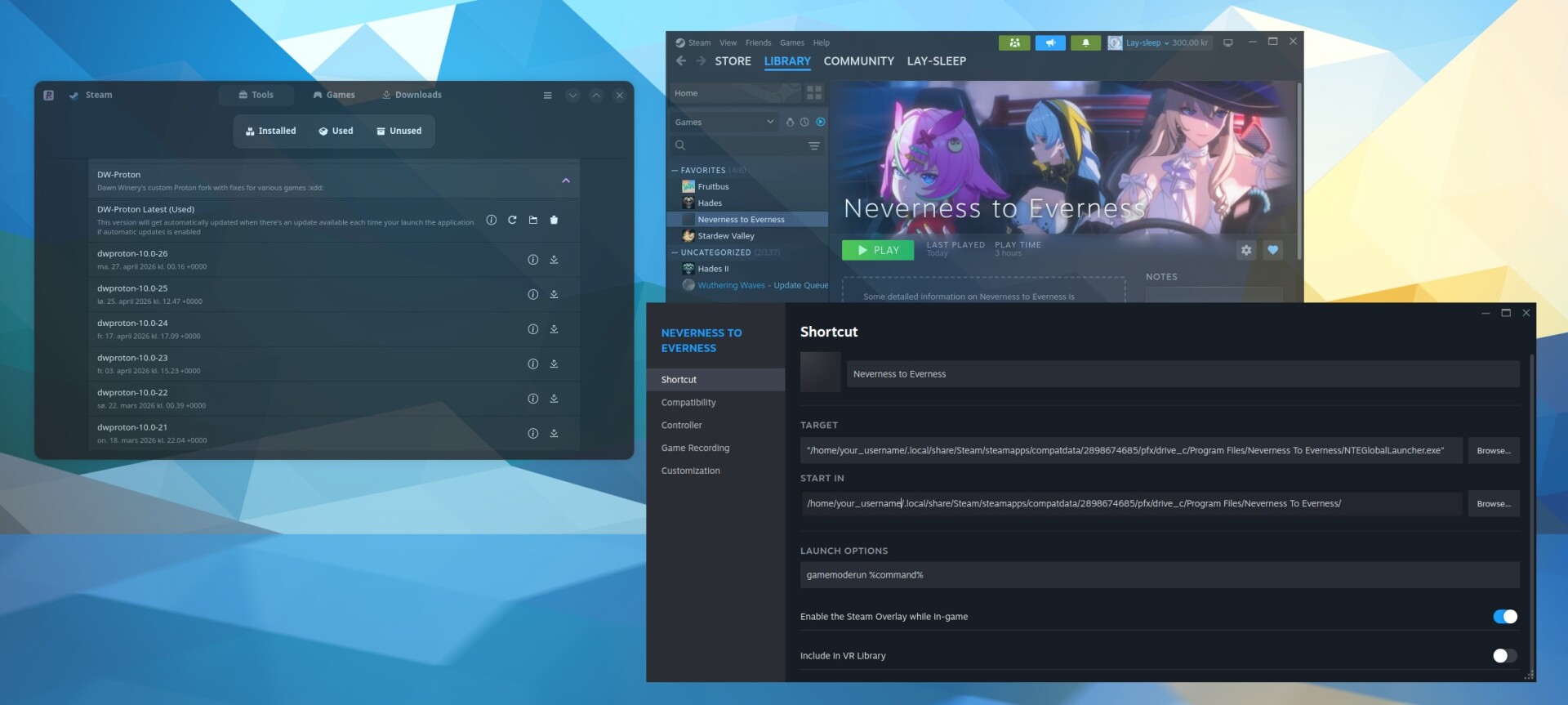
"/home/your_username/.local/share/Steam/steamapps/compatdata/2898674685/pfx/drive_c/Program Files/Neverness To Everness/NTEGlobalLauncher.exe"
When I ran the game again, the game launcher appeared and I could continue the installation. After downloading about 50GB of data, the game ran successfully.
Note: I always add this as a startup command in Steam:
gamemoderun %command%
Lastly I changed the name of the shortcut and downloaded some images that I to Steam so the game looks like a “Steam game”.
She has now played it for three hours, it runs butter smooth at 120fps on “high” settings with no stutters or problems.